

Overview of the Covata Platform
Covata provides a complete solution and platform for securely protecting and sharing encrypted files and folders which can be stored and accessed anywhere (within an organization, outside the domain and from mobile devices). Covata’s technologies provide this solution through the Covata Platform, whose Access Service centrally manages cryptographic keys (used to encrypt/decrypt content) and access controls (which define who can access/decrypt content and when). The Covata Platform’s Access Service handles its key management and access controls separately from cryptography and user content. This separation helps ensure that regardless of whether or not encrypted content gets into the wrong hands, it can only be decrypted by the people it’s intended for. Users of Covata technologies (1) can share their secured content with others through Covata’s Safe Share applications, which integrate with the Covata Platform to ensure that critical key management and access controls are adhered to. The Covata Platform provides an application programming interface (API) that allows integrators to develop their own applications that leverage Covata’s powerful data-centric security features.Covata Administration
Covata Administration is a web-based interface for administering the Covata Platform and provides the overall control of an organization’s implementation of Covata technologies. (1)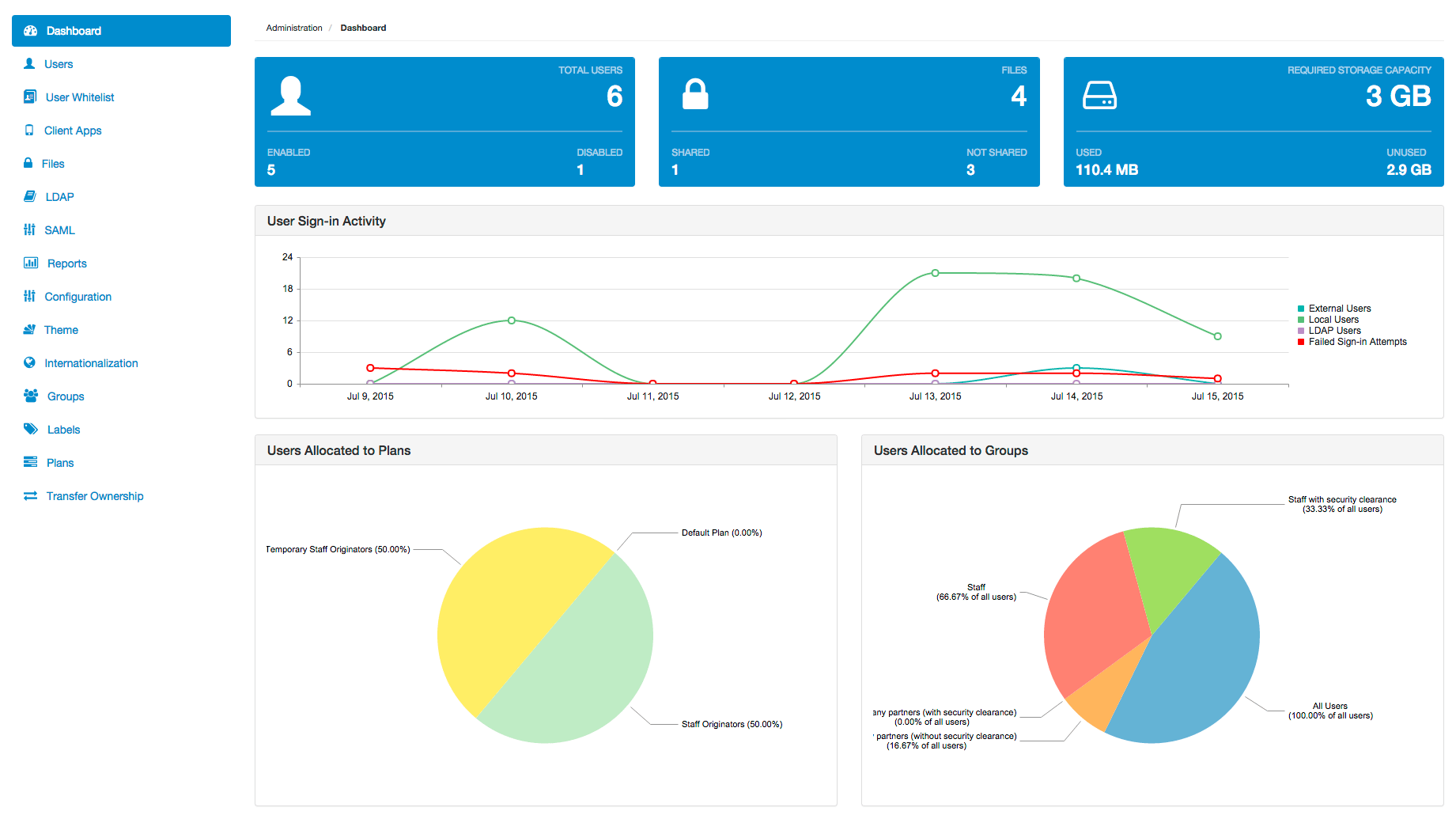
- Configure all users of the Covata Platform (also known as ‘Covata users’).
- Configure and manage their user whitelist, which defines the people that can access the Covata Platform (based on their email address or domain).
- Configure Covata users through LDAP connections.
- Configure single sign-on (SSO) using a SAML-based Identity Provider (IdP).
- Manage labels and groups, which are both used in conjunction to restrict the people with whom secured content can be shared.
- Manage plans that define storage quotas, which are used to limit the amount of storage (managed by the Covata Platform’s Content Service) that is available to Covata user accounts.
- Transfer ownership of one Covata user’s secured content to that of another user. (2)
- Disable or re-enable access to any files encrypted using Covata technologies on the Covata Platform, as well as view all recorded activities on these files.
- Generate reports on all requests made by client applications to the Covata Platform’s API.
- Register client apps (i.e. integrator-developed applications that utilize Covata technologies to create and/or access secured content).
- Change the configuration of Covata Administration properties.
- Customize the appearance of the Safe Share web application and Covata Administration through a theme.
- Adjust the user interface languages of Covata Administration and the default for the Safe Share web application, as well as upload/delete language bundles using internationalization.