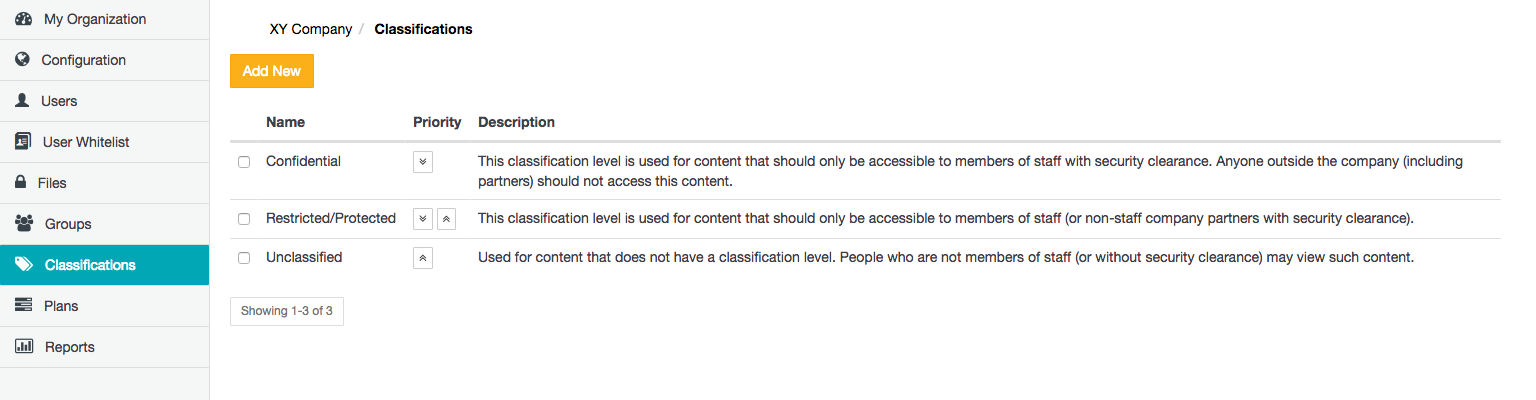
The Classifications page allows Organization administrators to define a set of classifications from which Covata users can choose when sharing files/Secure Objects with other people using Safe Share applications, including other client applications utilizing the Covata Platform's API. (For more information about Secure Objects, see Administering files.)
Classifications allow Covata users to restrict the ability to share files/Secure Objects to a specific group of Covata users. If a classification is not associated with a Covata user (by virtue of the classification being associated with any group to which that user belongs), then the user cannot be shared any file when this classification is set.
Adding a new classification
To add a new classification to your organization on the Covata Platform:
- Sign in to Safe Share Organization Administration.
- Click the Classifications option on the left of the Safe Share Organization Administration interface to open the Classifications page.
- Click the Add New button.
- In the Add new classification dialog box, specify the:
-
Name - The value of this field is the name of the classification shown to Covata users of Safe Share applications (when sharing an item), including client applications utilizing the Covata Platform's API.
-
Description ( Optional ) - A longer description to provide more information about the classification, such as the classification's purpose or which group of people it is intended for. The value of this field is only visible to Organization administrators on this Classifications page.
Note: Before proceeding, please ensure that you are satisfied with the values above, since by design and for security reasons, it is not possible to edit any aspect of a classification once it has been added.
- Click Save and the new classification is added and will appear as a new entry on the Classifications page.
Notes:
- To associate this classification with one or more Covata users (as a group), which would allow this classification to restrict file sharing to these users, see Managing groups.
- It is recommended that any newly added classification be associated with at least one group of Covata users as soon as possible, since a classification (which is not yet associated with any such group + users) and is then chosen when sharing a file/Secure Object, prevents that file/Secure Object from being shared.
Removing an existing classification
Removing a classification removes that classification from all files it was applied to (when these files were shared), as well as removes all collaborators from these files.
To remove an existing classification from your organization:
- Sign in to Safe Share Organization Administration.
- Click the Classifications option on the left of the Safe Share Organization Administration interface to open the Classifications page.
- Locate/scroll to the relevant classification and select its check box on the left.
- Click the Remove button. A Delete Classification message box appears, with a warning that the removal of this classification will remove the classification from any files it had been applied to (when the files were shared).
Note: Before proceeding, be aware that this action removes all collaborators from these files too.
- Click Yes on this message box to proceed with the classification's removal.