

To be carried out only during the deployment process.
- the Organisation Administration interface,
- the SafeShare Administration interface, as well as
- email notifications sent out by the Covata Platform.
- any organisation that does not have a theme defined for it,
- the SafeShare Administration interface and
- the My Account feature.
Other customisable aspects of SafeShare, such as the Application Name, as well as the Company Name and Copyright Notice that appear in email notifications, are configurable through the System details properties section of the Configuration page of SafeShare Administration. However, the Company Name can be customised for each organisation (through the Configuration page of Organisation Administration).
Themable areas of SafeShare for Web
The following diagrams indicate the themable components of SafeShare for Web’s user interface that can be customised using the WebApp Theme Builder tool. These themeable components include images/logos and other properties whose values determine color-usage, each of which is indicated below by its property name in thetheme.properties file.
The main SafeShare page
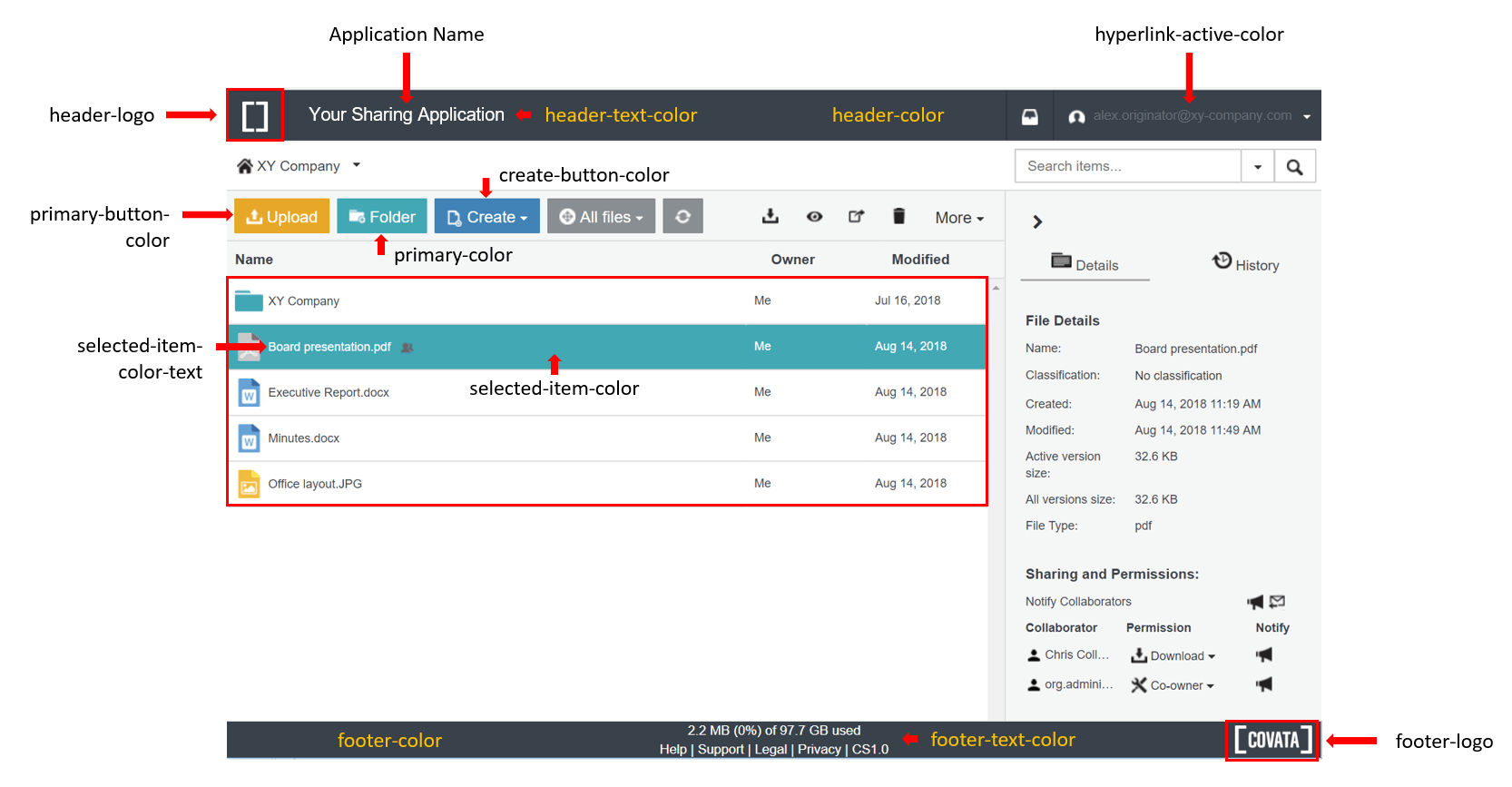
The
primary-color is also used for ‘waiting’ / ‘processing’ animations, which appear for example when a file’s view is being downloaded.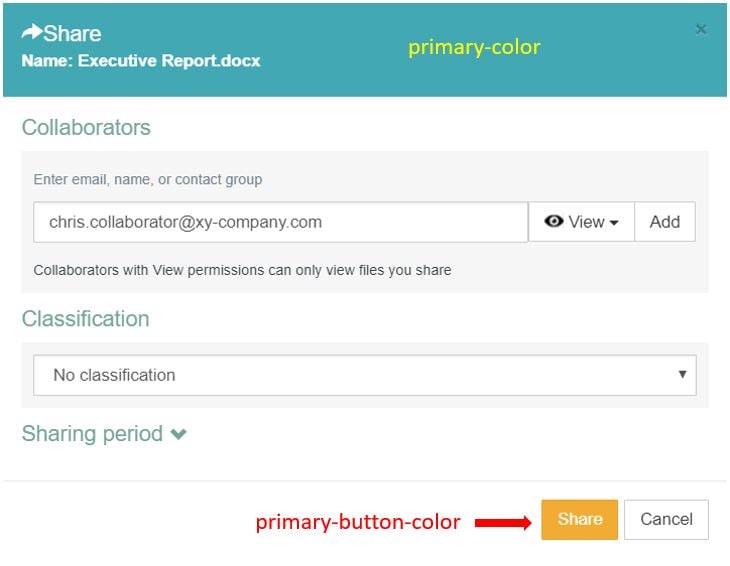
Themable web-based administration areas
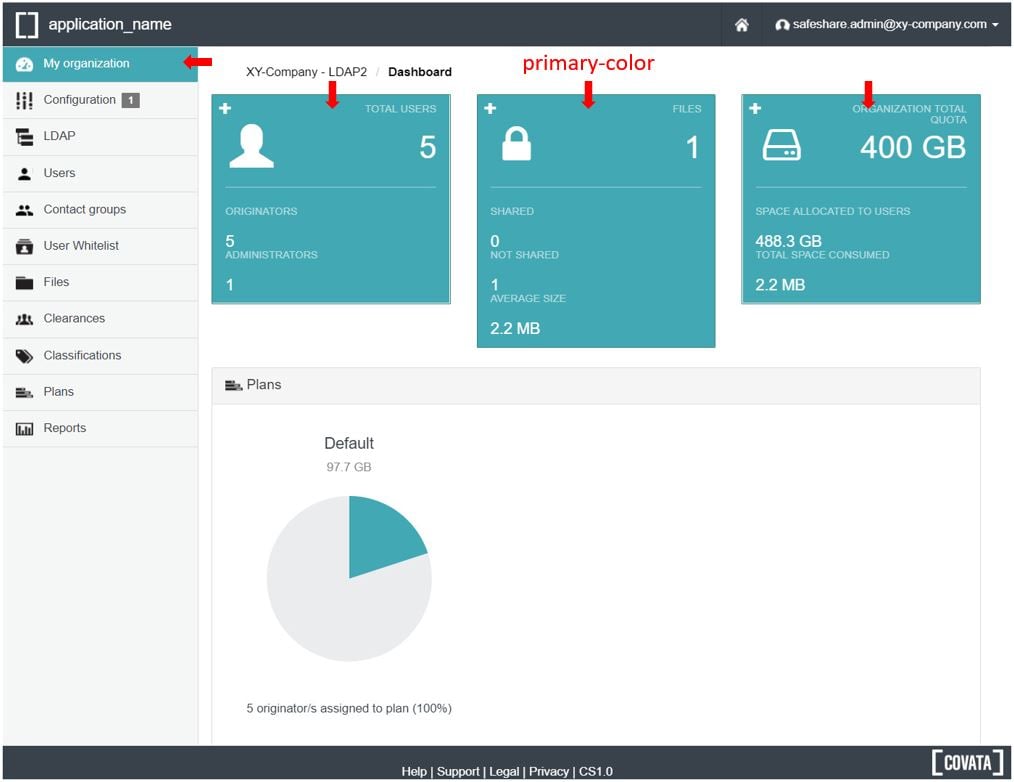
The following diagrams indicate the themable components of SafeShare’s web-based administration pages that can be customised using the WebApp Theme Builder tool. These themeable components include images/logos and other properties whose values determine color-usage, each of which is indicated below by its property name in thetheme.properties file.
The Organisation Administration interface
For a given organisation, any of its organisation-specific components of the main SafeShare page (illustrated above) that have a specific property value, also affects the equivalent component in this organisation’s Organisation Administration interface. The following diagram shows additional components, which do not have an equivalent in the main SafeShare page/interface, but are also customised using the WebApp Theme Builder tool.
Other themable SafeShare areas
The following diagrams indicate the themable components of other areas and aspects of SafeShare (i.e. not covered above) that can be customised using the WebApp Theme Builder tool. These themeable components include images/logos and other properties whose values determine color-usage, each of which is indicated below by its property name in thetheme.properties file.
Only the logos/images and property values (of the
theme.properties file) located inside the system theme’s directory are used for the following areas.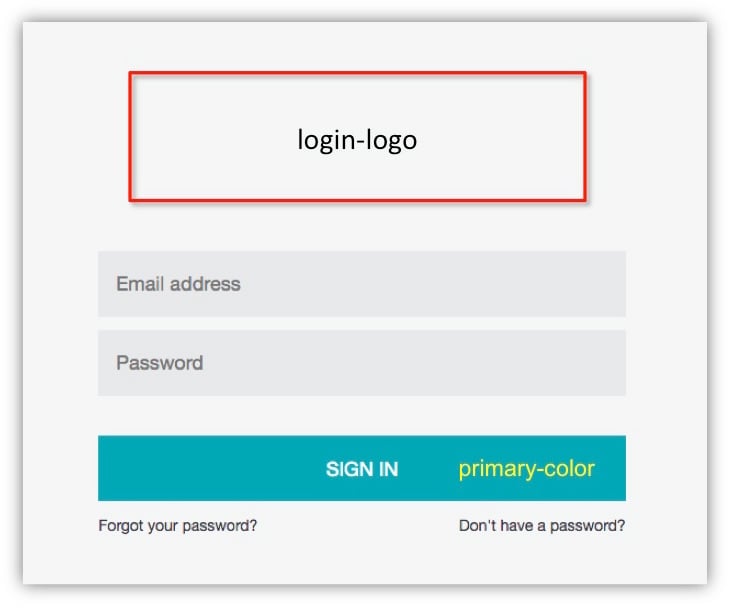
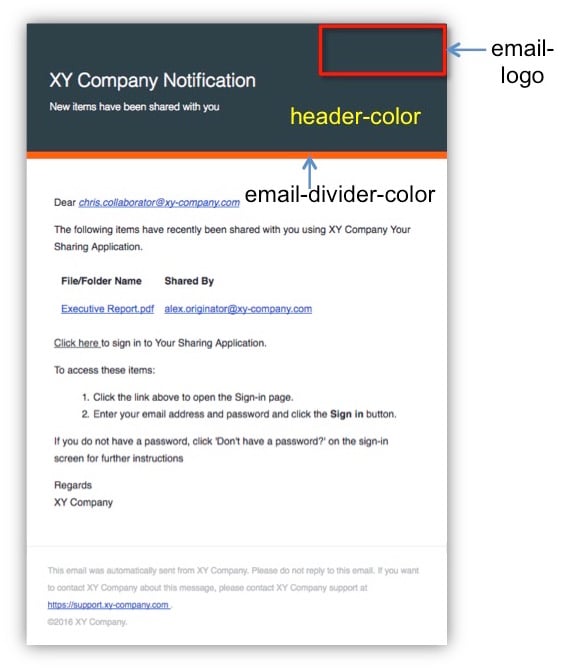
Email notifications are themed according to the SafeShare ‘area’ to which the notification’s content is related.
For example, email notifications about activities conducted through:
For example, email notifications about activities conducted through:
- SafeShare Administration, such as the addition of a SafeShare administrator user account, use the system theme.
- Organisation Administration, such as the removal of a Covata user account from an organisation, use the organisation’s theme. *
- Activities conducted through any SafeShare application, such as sharing an item with another person, use the theme of the recipient’s home/default organisation. * This principle also applies to a person who is not yet registered on the Covata Platform (i.e. this person’s account is created and added to an organisation as a result of them being shared an item by an existing Covata user in that organisation).