 |
Administrator's Guide
|
|
Administrator's Guide
|
The Theme page allows Covata Platform administrators to modify the:
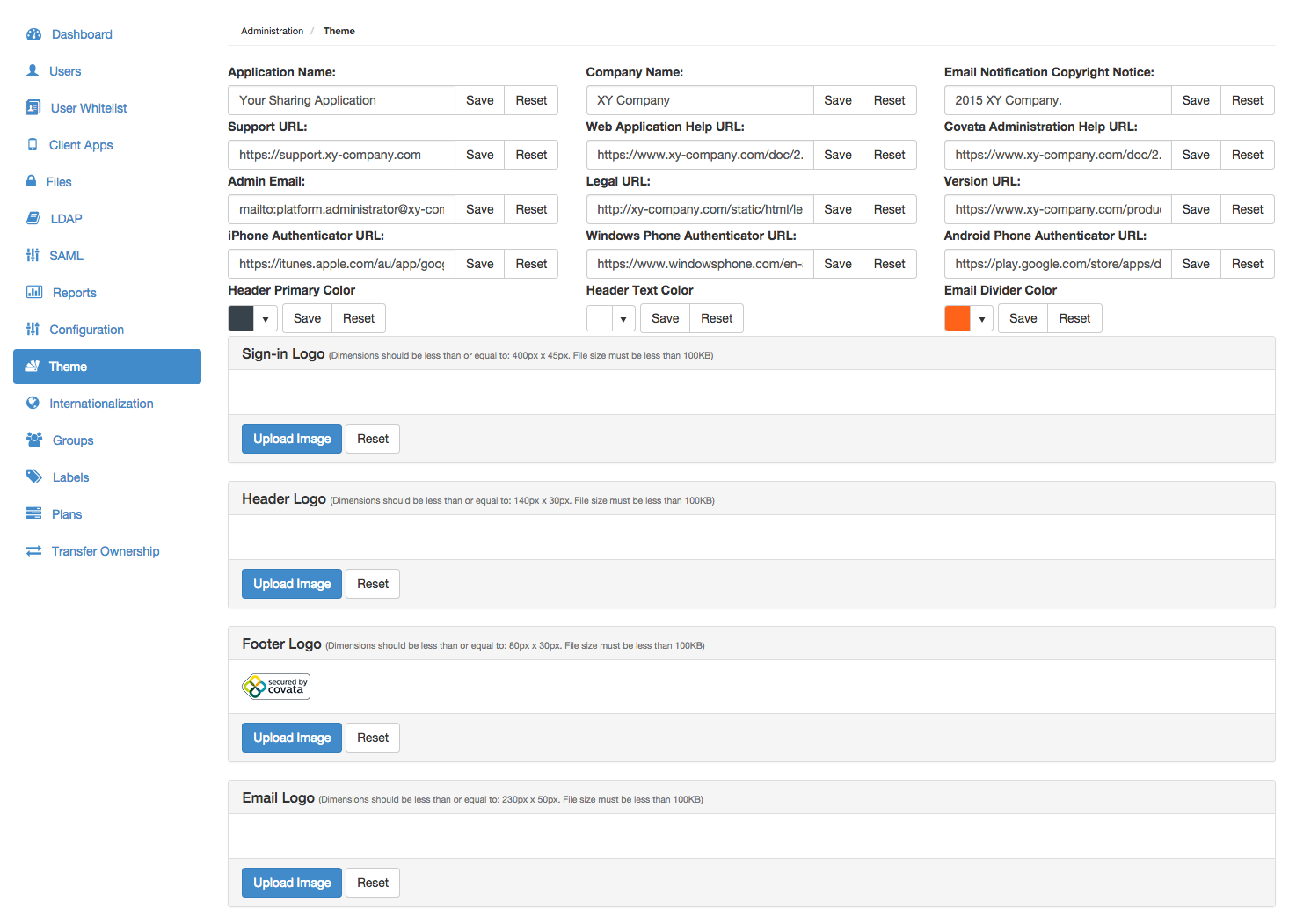
To modify a theme property value:
| Property | Detailed description |
|---|---|
| Application Name | The application name which appears to the right of the header logo of the Safe Share web application (see Safe Share web application logos, name and color for details) as well as throughout Covata Notification email messages. Note: The default value of this property is 'Safe Share'. |
| Company Name | The company/organization name which appears throughout Covata Notification email messages. Note: The default value of this property is 'Covata'. |
| Email Notification Copyright Notice | The copyright notice which appears at the base of Covata Notification email messages. Note: The default value of this property is '<year> Covata.'. |
| Support Link | The URL of the company's/organization's support page, which is accessible from the Support link in the footer of the Safe Share web application and Covata Administration as well as from Covata Notification email messages. Note: The default value of this property is the Support page on the Covata web site. |
| Web application Help URL | The URL of the help documentation for the Covata Safe Share web application, which is accessible from the Help option/link available from the user's email address drop-down menu at the top-right of the Safe Share web application (and from the footer). Note: The default value of this property is the Safe Share User's Guide on the Covata web site. |
| Administration Help URL | The URL of the help documentation for Covata Administration, which is accessible from the Help option/link available from the email address drop-down menu of the Covata Platform administrator at the top-right of Covata Administration (and from the footer). Note: The default value of this property is the Covata Platform Administrator's Guide (i.e. this guide) on the Covata web site. |
| Admin Email | The contact email address of the Covata Platform administrator, which is accessible from the Need help? ... link on the Authentication code entry page for two-factor authentication (2FA), whenever a Covata user (with 2FA enabled on their account) signs in through the Covata Sign-in page. Note: The default value of this property is |
| Legal URL | The URL of the company's/organization's legal page, which is accessible from the Legal link in the footer of the Safe Share web application and Covata Administration. Note: The default value of this property is the Covata End User License Agreement. |
| Version URL | An additional (custom) URL, which is accessible from the product version number link in the footer of the Safe Share web application and Covata Administration. Note: The default value of this property is the Covata Product Release Notes page on the Covata web site. |
| iPhone Authenticator URL | The URL of the authenticator application (app) for iOS-based devices, which is accessible from the Install link in Step 1 of the instructions for a Covata user to configure a mobile device for 2FA once 2FA has been enabled or re-configured on this user's account. Note: The default value of this property is the Google Authenticator application for iOS page on the iTunes web site. |
| Windows Phone Authenticator URL | The URL of the authenticator app for Windows mobile-based devices, which is accessible from the Install link in Step 1 of the instructions for a Covata user to configure a mobile device for 2FA once 2FA has been enabled or re-configured on this user's account. Note: The default value of this property is the Authenticator application for Windows mobile devices page on the Microsoft web site. |
| Android Phone Authenticator URL | The URL of the authenticator app for Android-based devices, which is accessible from the Install link in Step 1 of the instructions for a Covata user to configure a mobile device for 2FA once 2FA has been enabled or re-configured on this user's account. Note: The default value of this property is the Google Authenticator application for Android devices page on the Google play web site. |
| Header Primary Color | The background color used for the header of the Safe Share web application and Covata Administration, as well as Covata Notification email messages. See Safe Share web application logos, name and color for details. Note: The default value of this property is a dark gray color. |
| Header Text Color | The text color used for the header of the Safe Share web application and Covata Administration, as well as Covata Notification email messages. In the web application header, this option affects the color of the Application Name (above), as well as the email address drop-down menu and 'Uploads in progress' icon at the top-right. See Safe Share web application logos, name and color for details. Note: The default value of this property is a white color. |
| Email Divider Color | The color of the dividing line between header and body of Covata Notification email messages. Note: The default value of this property is a red color. |
To modify a logo for the Safe Share web application/Covata Administration or Covata Notification email messages:
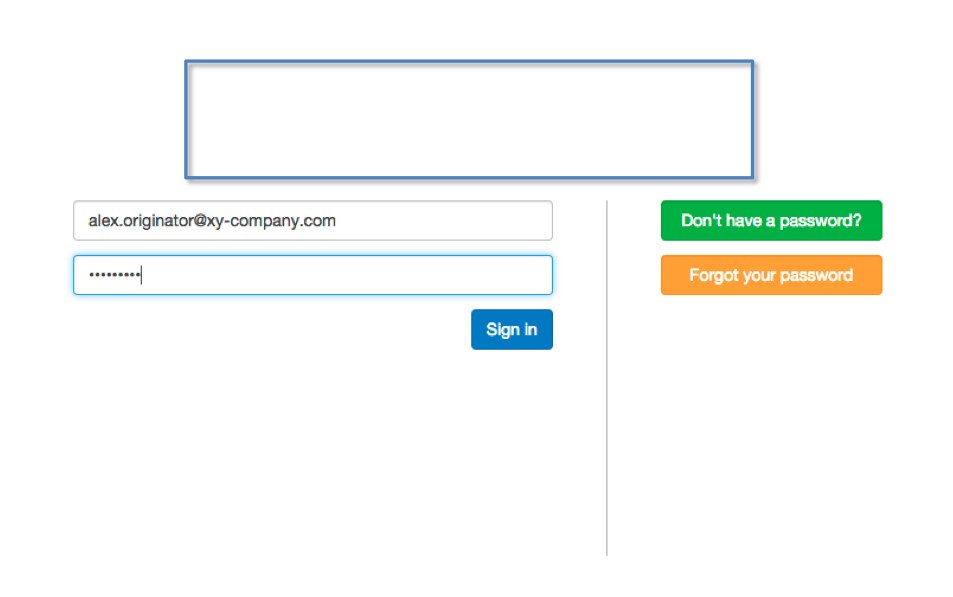
Modifying the Sign-in Logo (above) modifies the following logo, which appears above the Email address and Your password fields on the Sign-in page:
Modifying the Header Logo and Footer Logo (above) modifies the respective header and footer logos on the Safe Share web application (including Covata Administration):
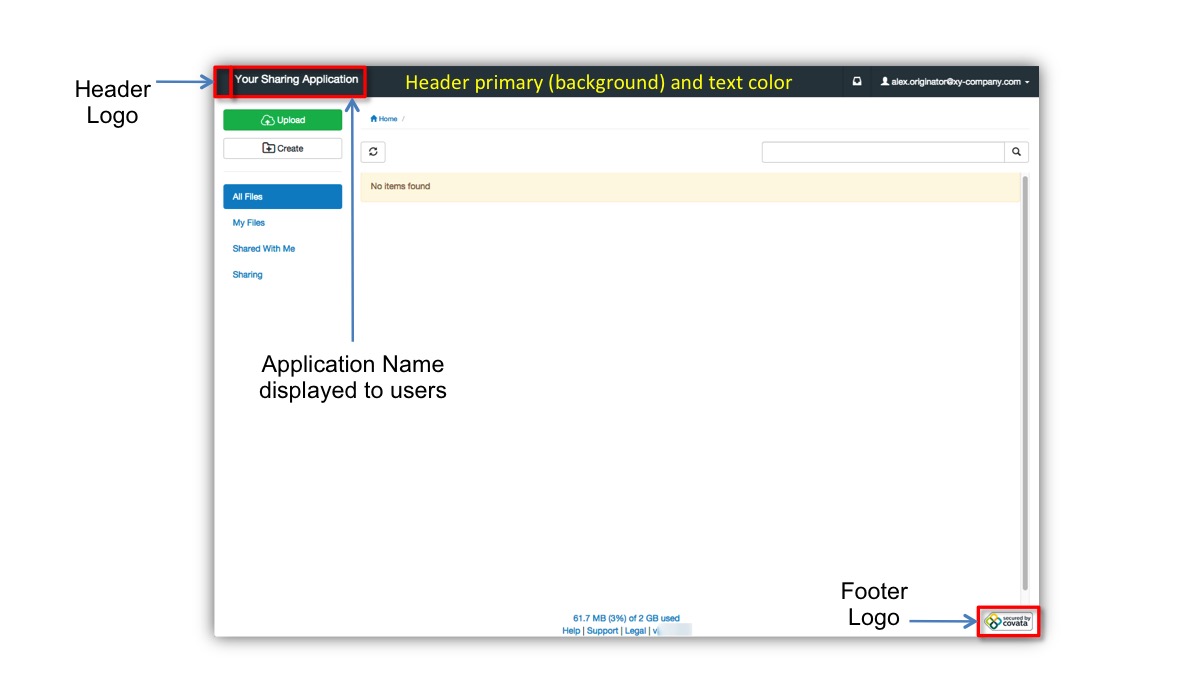
The color of header's background and text (of the Safe Share web application/Covata Administration) are modified by changing the Header Primary Color and Header Text Color properties, respectively.