

Other properties in configuration files can be modified by system administrators responsible for setting up on-site deployments of the Covata Platform.
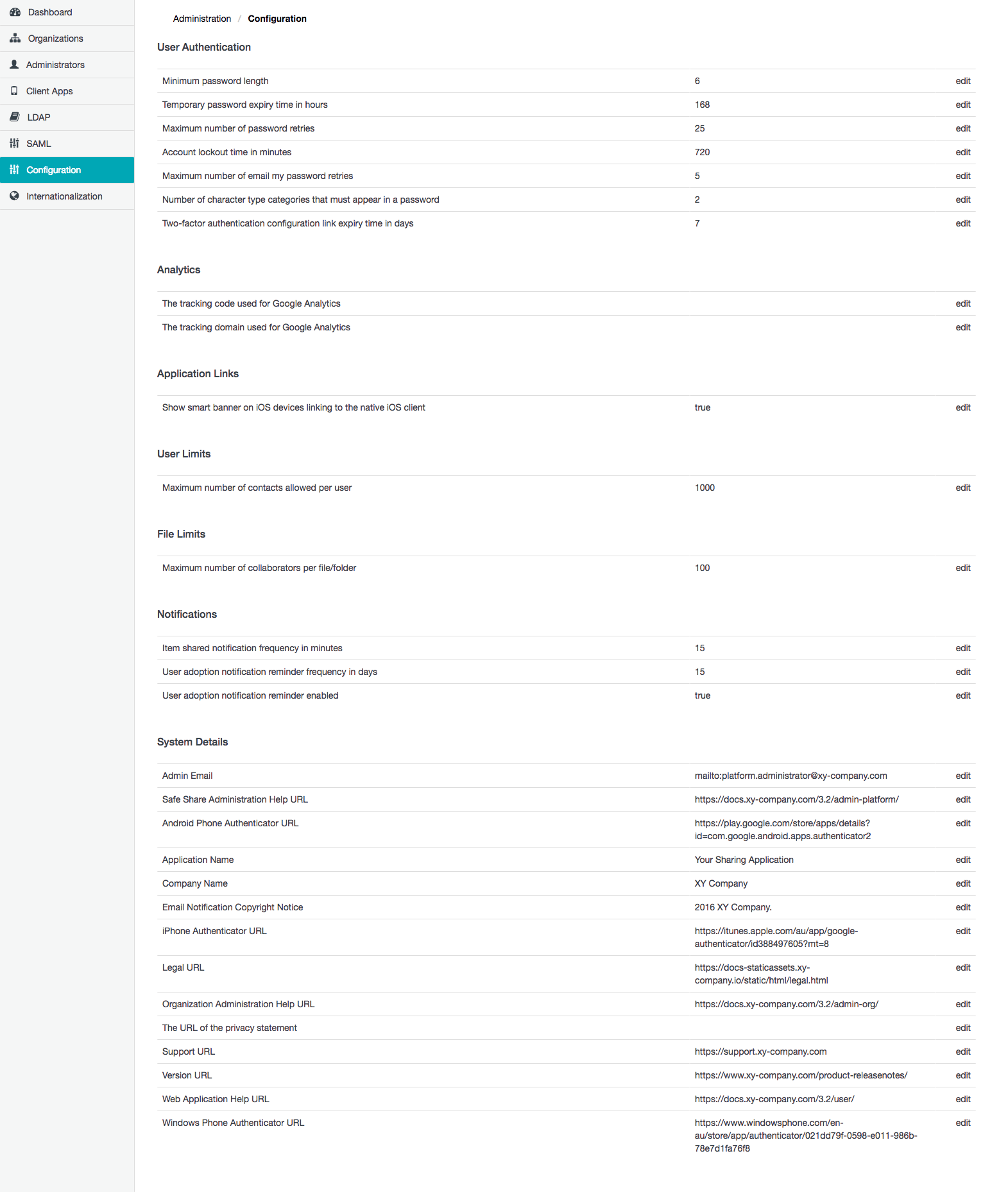
Modifying a Safe Share Administration property value
To modify a Safe Share Administration property value:- Sign in to Safe Share Administration.
- Click the Configuration option on the left of the Safe Share Administration interface to open the Configuration page.
- Click the Edit link to the right of the relevant Safe Share Administration property.
- In the Edit Configuration dialog box, update the Property value field as required.
-
Click Save and the value of the Safe Share Administration property is modified with immediate effect.
Notes:- For properties whose value consists of a simple
trueorfalse, the Edit Configuration dialog box has a Property Value check box, which should be selected fortrueor cleared forfalse. - It is not possible to modify the names of Safe Share Administration properties, since these are fixed.
- For properties whose value consists of a simple
Safe Share Administration properties
The following Safe Share Administration properties are available in the following categories.User authentication properties
The User Authentication properties section allows the configuration of factors that affect how users sign in to Safe Share. See Modifying a Safe Share Administration property value above for instructions on how to modify these properties’ values.Analytics properties
The Analytics properties section allows the configuration of Google Analytics properties, which collect data on visitor traffic to the Safe Share web application, Organization Administration and Safe Share Administration. See Modifying a Safe Share Administration property value above for instructions on how to modify these properties’ values.Application links properties
The Application Links properties section allows the configuration (i.e. exposure) of links to Safe Share client applications, which are better designed for the platform on which the user is currently accessing Safe Share. See Modifying a Safe Share Administration property value above for instructions on how to modify these properties’ values.User limits properties
The User Limits properties section allows the configuration of limits applied to Covata user accounts.File limits properties
The File Limits properties section allows the configuration of limits associated with files managed by Safe Share.Notifications properties
The Notifications properties section allows the configuration of the types and behavior of email notifications sent by the Covata Platform. See Modifying a Safe Share Administration property value above for instructions on how to modify these properties’ values.System details properties
The System Details section allows the configuration of text and URLs, which are used to customize:-
the application and company names + support and help URLs for the:
- Safe Share web application (+ Safe Share Administration and Organization Administration) and
- Covata Notification email messages,
- the copyright notice appearing at the base of Covata Notification email messages
- Please be aware that any modifications to any of these properties apply to all organizations configured on the Covata Platform.
- For more information about customizing the appearance of Safe Share, refer to Theming Safe Share’s web-based interfaces in the Appendix of this guide.
* Two-factor authentication can be:
- enabled by the user themselves for their own account through the Safe Share web application, Organization Administration or Safe Share Administration interfaces, by a Safe Share administrator for any Safe Share administrator’s account, or by an Organization administrator for all members of their organization.
- re-configured (on user accounts) by an Organization administrator for any Covata user account in the organization with 2FA enabled, or by a Safe Share administrator for any Safe Share administrator’s account.