

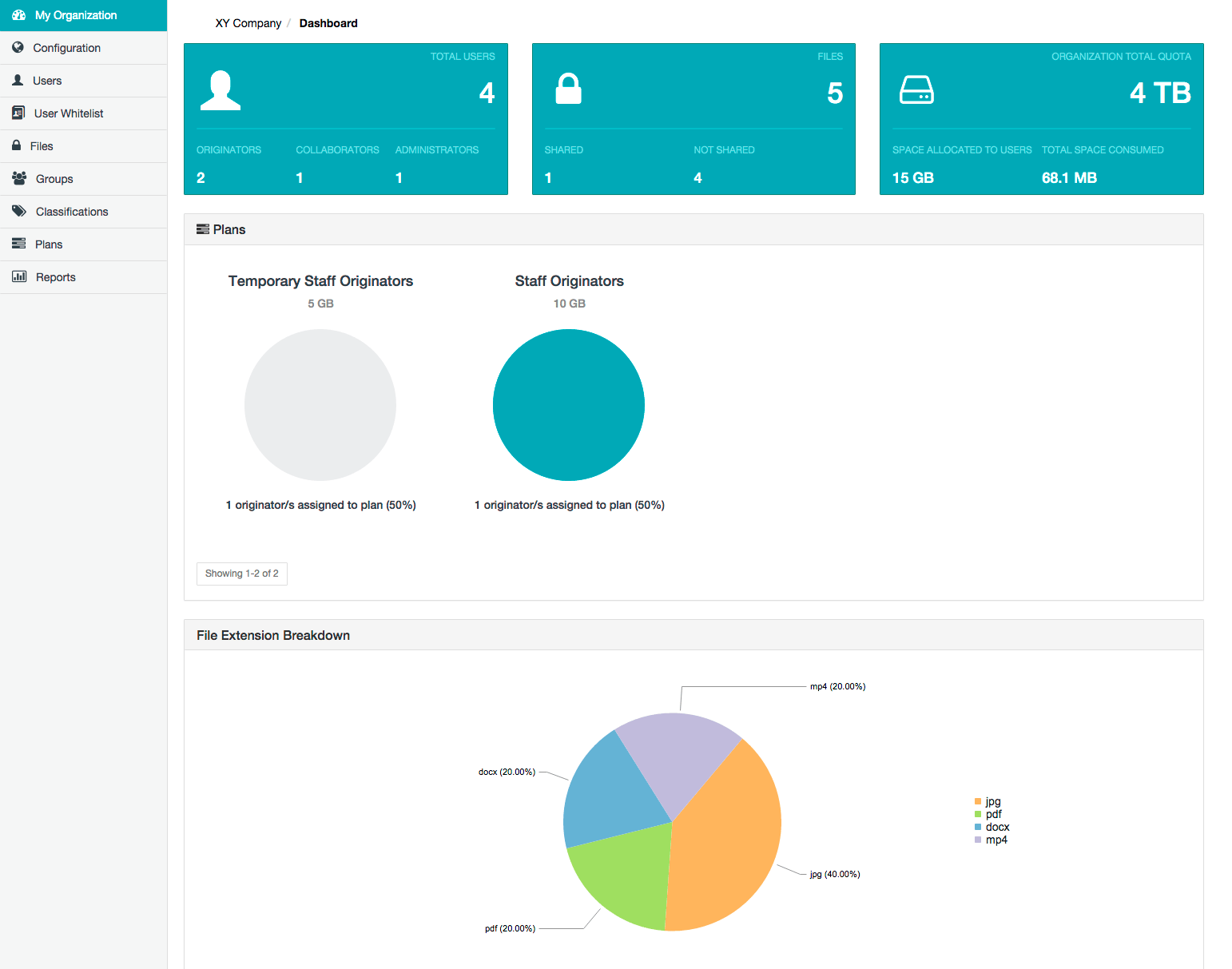
- Configure users (also known as ‘Covata users’) who are members of their organization by initially adding new or pre-registered user accounts on the Covata Platform.
- Configure and manage their organization’s user whitelist, defining which people can be shared items within the organization, including people who are not organization members.
- Manage classifications and groups, both of which are used in conjunction to help restrict the people with whom content can be shared.
- Manage plans that define storage quotas, which define the amount of storage (ultimately managed by the Covata Platform’s Content Service) available to individual Covata user accounts.
- Disable or re-enable access to any files encrypted using Covata technologies on the Covata Platform, as well as view all recorded activities on these files.
- Generate reports on requests made by client applications to the Covata Platform’s API.
- Change the configuration of Safe Share Organization Administration properties.
- Accessing Safe Share Organization Administration
- Administering users within an organization
- Managing user whitelists
- Managing classifications
- Managing groups
- Managing users’ storage quotas through plans
- Administering files
- Generating reports
- Configuring Safe Share Organization Administration properties